Published
The DeepCharts Portfolio (Wallet) sums up the state of a connected trading account: for each symbol traded, the day's P/L, the open P/L, the quantity held and the price. You need a connected broker, and the SIM account is enough. This tutorial explains how to open it, pick the account, read each column and use it alongside the Trading panel during the session.
- At least one broker connected in DeepCharts (SIM, prop firm or live account)
Step by step
- 01
Open the Portfolio
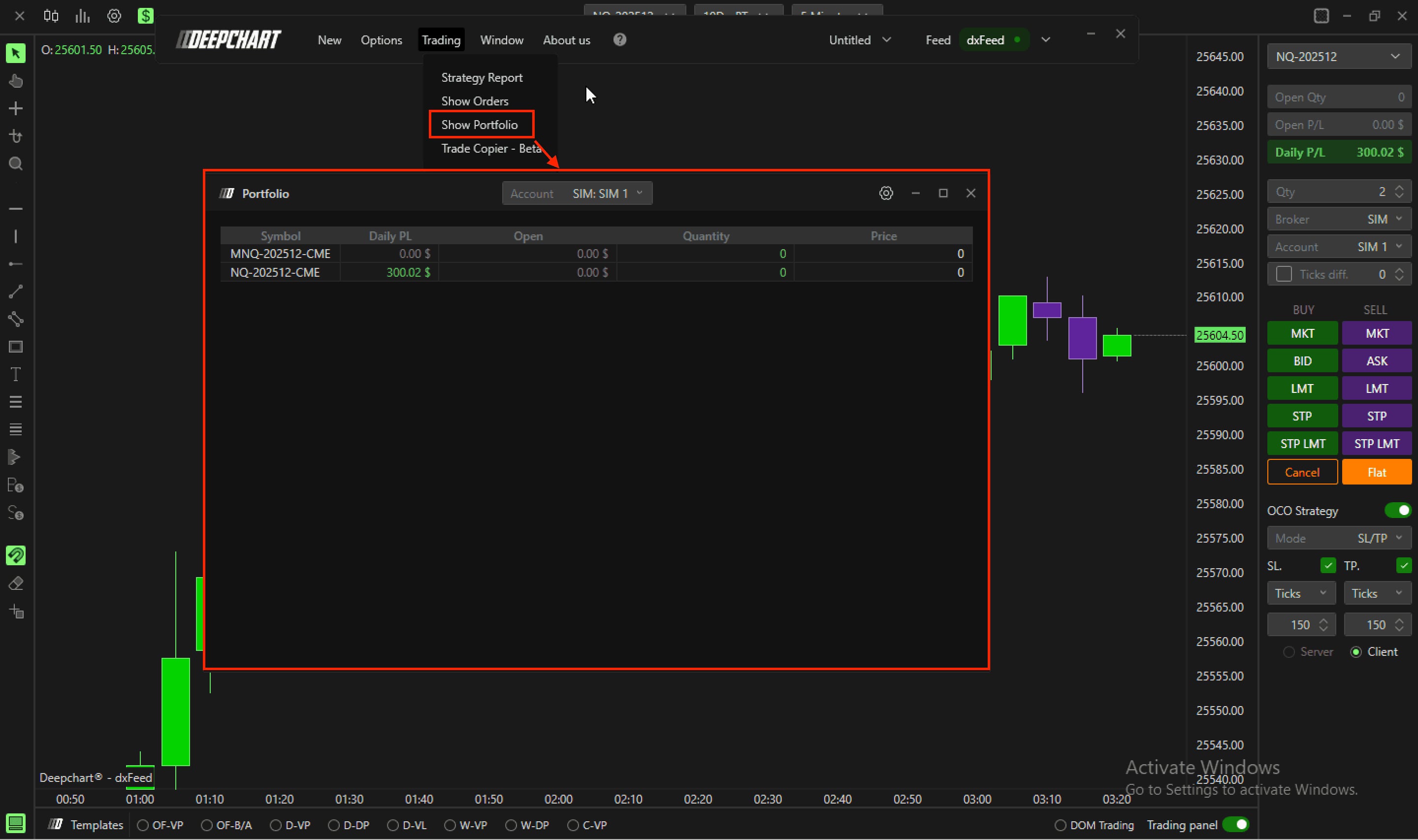
In the DeepChart menu bar, click Trading then Show Portfolio. The window opens over the chart; move or shrink it so it does not cover the area where you work your entries.
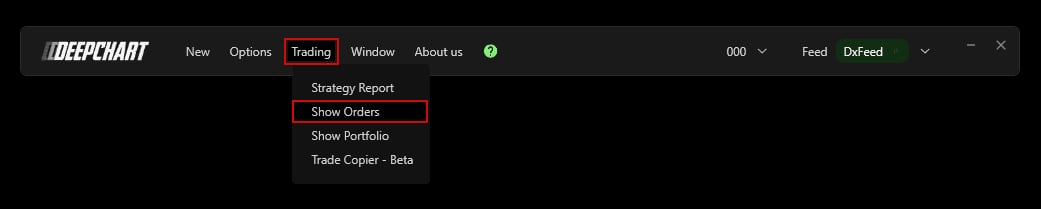
The DeepChart Trading menu with Show Portfolio, between Show Orders and Trade Copier.© DeepCharts - 02
Pick the account to follow
The Account list at the top of the window shows broker and account as Broker: account (for example SIM: SIM 1). The Portfolio lists the connected brokers and their accounts: if you run a prop firm evaluation and a SIM account, switch between them here. Everything you read next refers to the selected account only.
- 03
Read the per symbol columns
Each row is a contract traded on the account, with its expiry (NQ-202512-CME, MNQ-202512-CME…). Daily PL gives the day's result on that symbol, Open the P/L of the position still running, Quantity the number of contracts held (zero when flat) and Price the price tied to the position. A row with zero Quantity and a non zero Daily PL is a symbol you already traded and closed today.
- 04
Use it alongside the Trading panel
The Trading panel to the right of the chart shows Open Qty, Open P/L and Daily P/L, right where you place your orders. The Portfolio adds the symbol by symbol breakdown: handy if you switch between NQ and MNQ, or ES and NQ, in the same session while watching a prop firm daily loss limit. For the order by order detail, open the Orders window; for after session review, the Strategy Report.
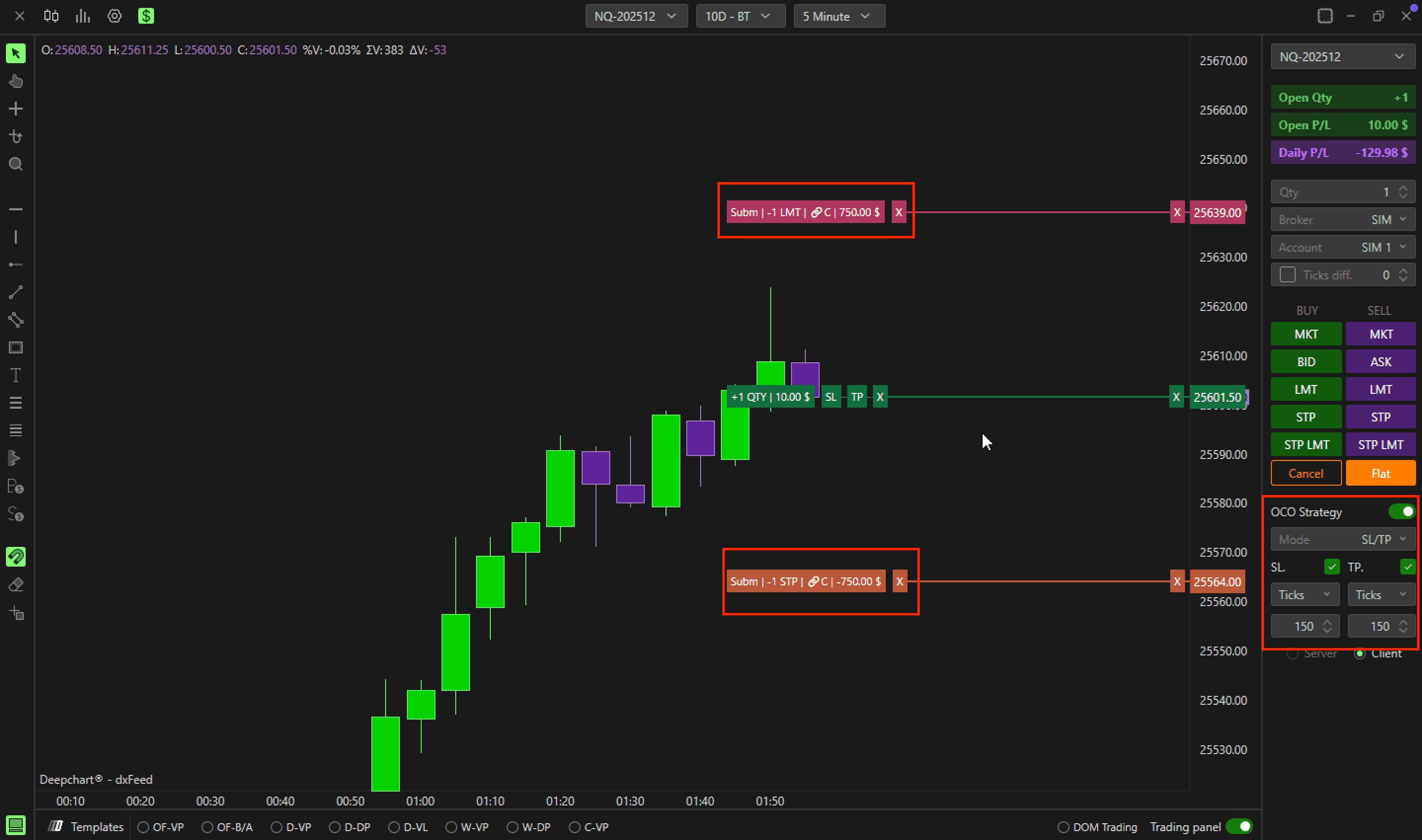
The Trading panel with Open Qty, Open P/L and Daily P/L above the order buttons.© DeepCharts
Settings, tab by tab
Picks the account shown, for example SIM: SIM 1.
One row per contract traded, expiry included.
The day's result on that symbol.
P/L of the position still open.
Current position, zero when flat.
Price tied to the current position.
⚠ Traps to avoid
- Reading the wrong account. The Portfolio only shows the account chosen in Account: check it before concluding your daily limit is safe.
- Trading several symbols without looking at the breakdown. The Portfolio shows which contract the day really hinges on: a loss on ES can hide behind a gain on NQ.
- Mixing up Daily PL and Open. Open moves with the market while the position is running; it only becomes a realized result once you close.
FAQ
How do I see the day's P/L for all my symbols in DeepCharts?+
Open Trading then Show Portfolio and pick the account in Account: the Daily PL column gives the day's result symbol by symbol.
Does the Portfolio show several accounts at once?+
It lists the connected brokers and their accounts, but the window shows one account at a time, the one selected in the Account list.
Why does a symbol show a quantity of zero?+
You traded it and closed it today: the position is flat, but the result is still visible in Daily PL.
Want to get better at order flow?
We discuss flow, liquidity and our trades live, every day, on the OrderFlowFutures Discord. Join us, it's free.
Join the Discord for free9 online·82 members·Free · instant access