Getting started with DeepCharts and DeepDom: the beginner course
Module 06 · 6 · Trading from the platformLesson 26 of 368 min🔒 Students only
Tracking your orders and your position: Orders, Portfolio, history
Placing an order is only half the job; the other half is knowing at every moment what is open, what is still working and what the session has cost or earned. DeepChart gives you three views for that: the Orders window for each order, the Portfolio window for each account, and the execution history on the chart to review your entries afterwards.
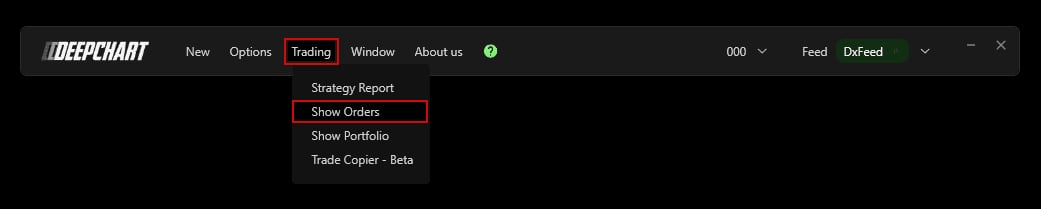
Both windows open from the Trading menu of the DeepChart bar.
Student access · free
The rest of this lesson is for students
Also in this lesson
- The Orders window
- The end-of-session check
- The Portfolio
- The execution history
It's free: create your account with your email or Discord, and every course opens right away.
→ Quiz: trading from the platform