Getting started with DeepCharts and DeepDom: the beginner course
Module 06 · 6 · Trading from the platformLesson 25 of 368 min🔒 Students only
The Chart DOM and the click rules
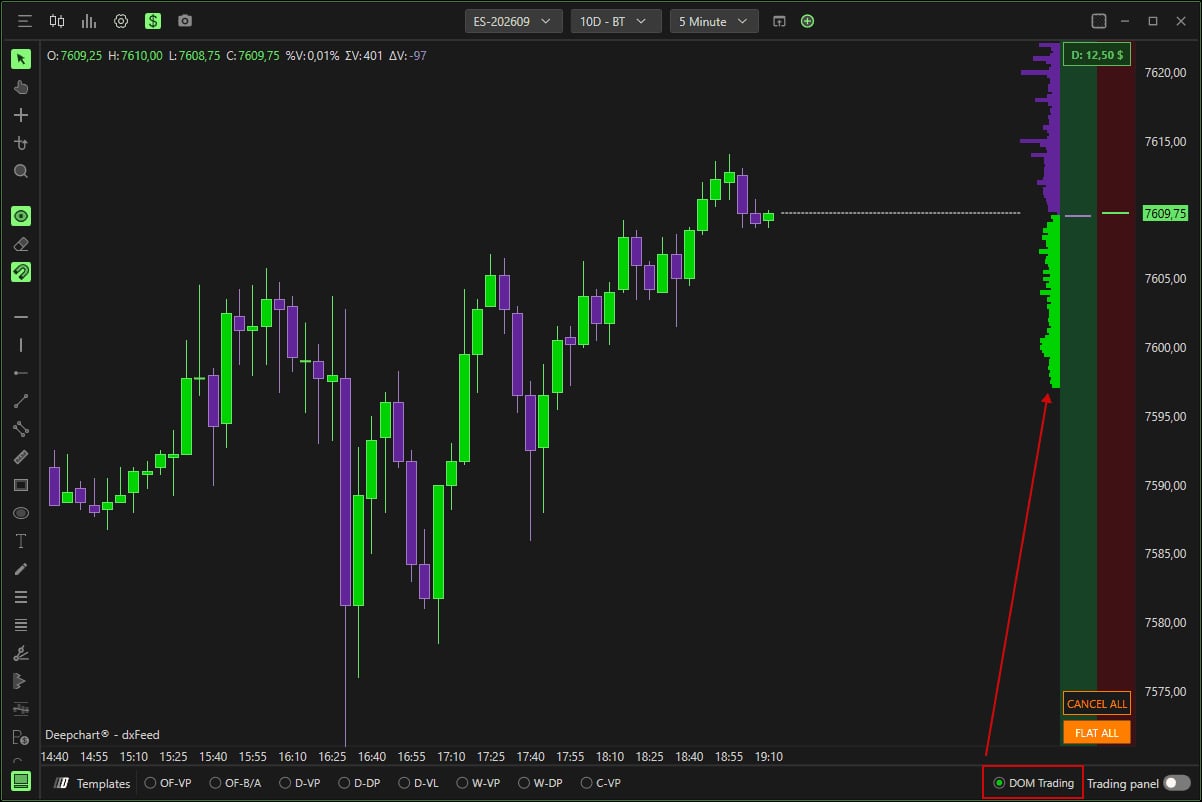
The Chart DOM displays a price ladder along the chart's axis, with the depth of the order book, and lets you place orders with a click on a price. It is fast and precise, and it is also the easiest way to send an order you did not want. Before using it, set what each click does, and cap the order frequency.
The Chart DOM is turned on by checking DOM Trading at the bottom right of the chart.
Student access · free
The rest of this lesson is for students
Also in this lesson
- The click rules
- Capping the order frequency
It's free: create your account with your email or Discord, and every course opens right away.
→ Tracking your orders and your position: Orders, Portfolio, history