Getting started with DeepCharts and DeepDom: the beginner course
Module 05 · 5 · DeepDomLesson 21 of 3610 min🔒 Students only
The order book indicators: Liquidity Scan, Deep Reload, Session Imbalance, VWAP
DeepDom adds to the heatmap indicators that measure what the eye only guesses: how much liquidity is resting on each side, where it has just rebuilt, where the first hour of the session sits, and what the average price of the day is. Each has one setting that decides whether it is right, and two of them can even draw wrong levels if you leave their default value.
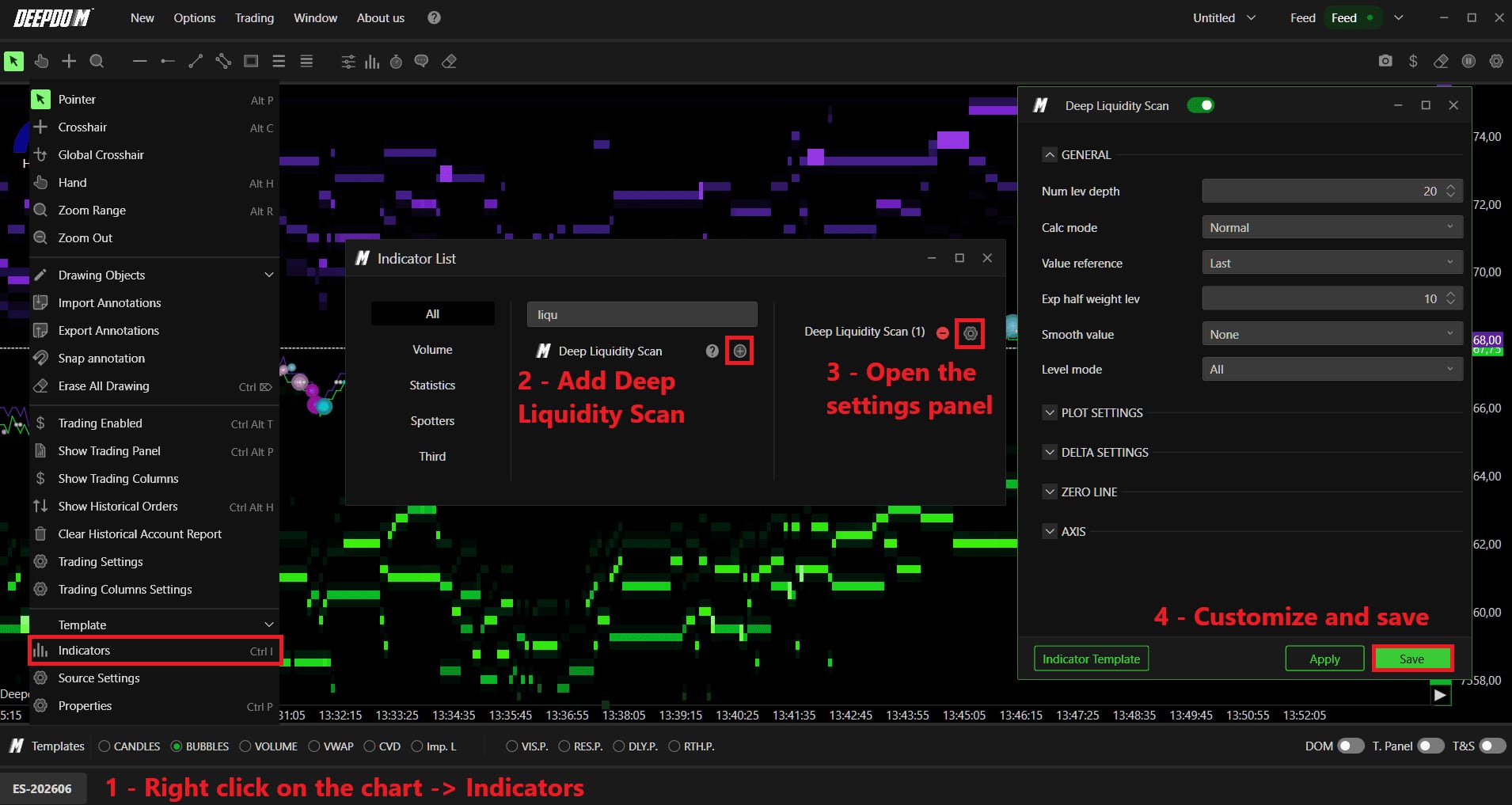
They are all added the same way: right click on the chart, Indicators (shortcut Ctrl I), search in the Indicator List window, plus button, then the gear next to its name to open its settings.
Student access · free
The rest of this lesson is for students
Also in this lesson
- Deep Liquidity Scan: measuring resting liquidity
- Deep Reload: liquidity that rebuilds
- Session Imbalance: the first hour, at the right hour
- VWAP + Envelopes: the average price of the right session
It's free: create your account with your email or Discord, and every course opens right away.
→ Quiz: DeepDom