Getting started with DeepCharts and DeepDom: the beginner course
DeepChart, DeepDom, DeepGamma: who does what
DeepCharts is not a single piece of software but a family of modules that share an account, a data feed and a display logic. Knowing which one does what avoids two costly mistakes: paying for a module you do not need, and looking in one module for a function that lives in the other.
For an order flow beginner, two modules matter: DeepChart for the charts, DeepDom for the order book. The third, DeepGamma, will come later.
The three modules
| Module | What it displays | What it is for |
|---|---|---|
| DeepChart | The charts: candles, footprint (Deep Prints), delta and CVD, profiles, large orders, indicators | Reading what traded, building the context, trading from the chart |
| DeepDom | The order book: DOM, liquidity heatmap, execution bubbles, time & sales, order book indicators | Reading what is waiting, and how liquidity reacts to price |
| DeepGamma | Options data (GEX, call and put walls) converted onto the future | The options context, for later: it is the subject of other courses on the site |
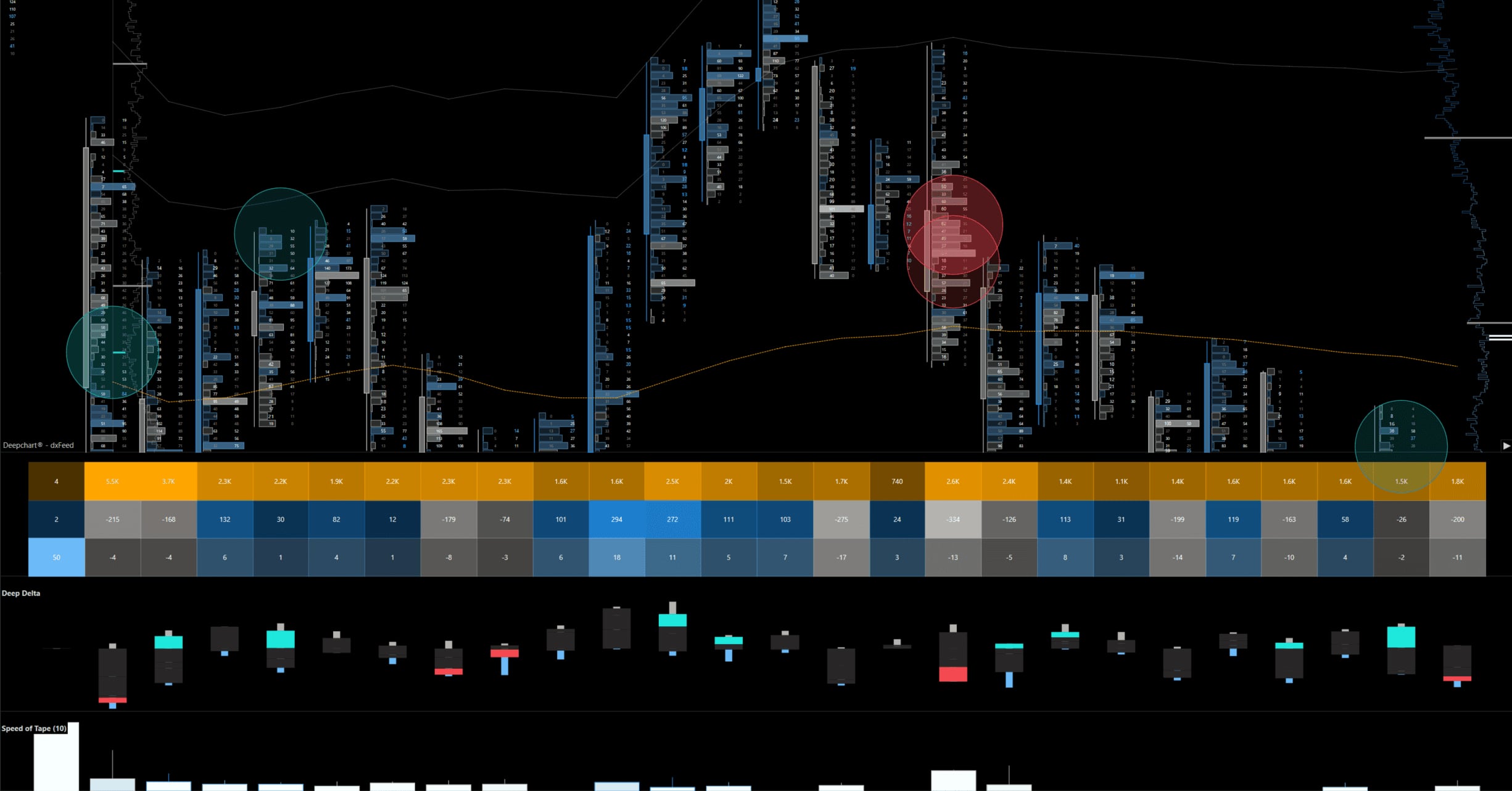
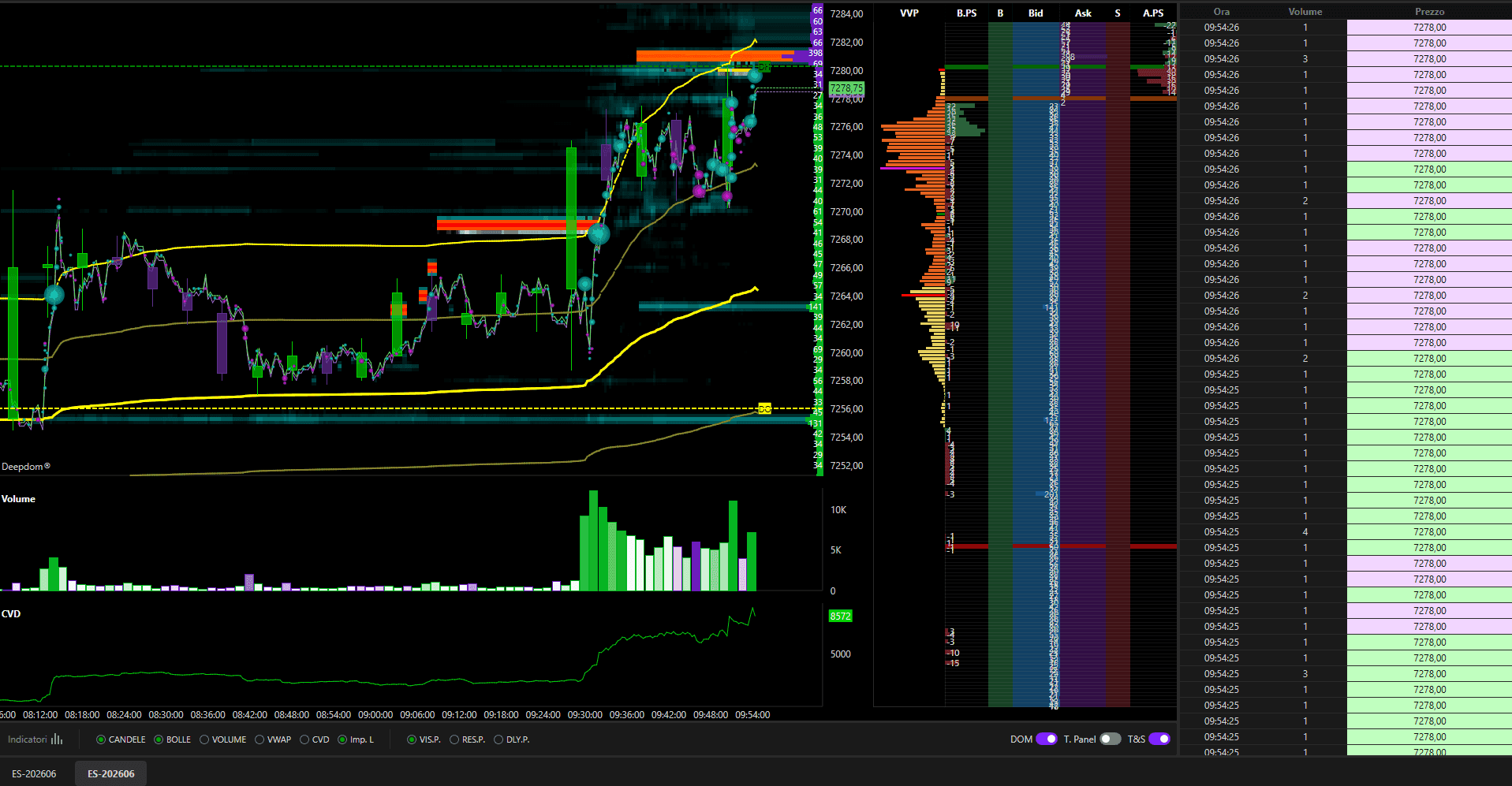
Above, a DeepChart chart loaded with the Advanced Orderflow template supplied by DeepCharts: footprint, large order bubbles, per bar statistics strip, delta and tape speed. Below, the DeepDom screen: the heatmap, the DOM and the time & sales.
The licenses
DeepChart comes in three plans, from the simplest to the most complete: Orderflow (volume and order flow), Advanced (proprietary indicators on top) and Pro (all of Advanced, plus the most recent studies). DeepDom is a separate license, added to DeepChart or taken on its own. Prices change often with promotions: the site's pricing page keeps them up to date. To get started, the entry plan and DeepDom cover the essentials; check on the pricing page which indicators each plan includes before choosing.
Three costs, not one
The budget of an order flow workstation has three lines, and the second one often comes as a surprise:
- The license for the platform.
- The real-time data feed: dxFeed, Rithmic or CQG, paid to the provider (or supplied by a prop firm).
- The MBO depth, the CME's order by order option, needed for the heatmap and iceberg detection to work at full strength.
The web version
Since November 1, 2026, DeepCharts Web opens in the browser, with nothing to install, using your my.deepcharts.com account. It offers among other things the footprint, profiles, VWAP, time & sales and a simulation account, free on futures delayed by fifteen minutes. It is a good way to discover the interface. But a fifteen minute delay does not let you read order flow live, and DeepDom is not there: this course covers the desktop version.
End of the free lesson
The other 26 lessons of this course, its quizzes and the completion certificate open with a free account.
It's free: create your account with your email or Discord, and every course opens right away.
→ Before installing: the machine, the feed, the credentials